5:50
Length of the run above
Search, compare, book, save to Notes — start to finish, unedited.
 Moosh
MooshNative for macOS · works with any MCP client
Moosh is the control center for assistants that click, type and run things — on this Mac, not in our cloud. You watch every step, you approve the risky ones, and one chord stops all of them.
Direct download · opens the Mac installer · free for 7 days, then $9.99 once.
brew tap imehdihosseini/moosh
brew trust imehdihosseini/moosh
brew install mooshConnect the assistants you already use
5:50
Search, compare, book, save to Notes — start to finish, unedited.
0
Clicks and keystrokes happen on your Mac. Nothing is relayed.
1
Control-Option-Shift-Escape. No tool, no remote command and no website can take it from you.
5+
Connect the clients you already pay for. Moosh is the layer beneath.
How it runs
The run above is three moments repeated for every task you hand over — and you can interrupt at any of them.
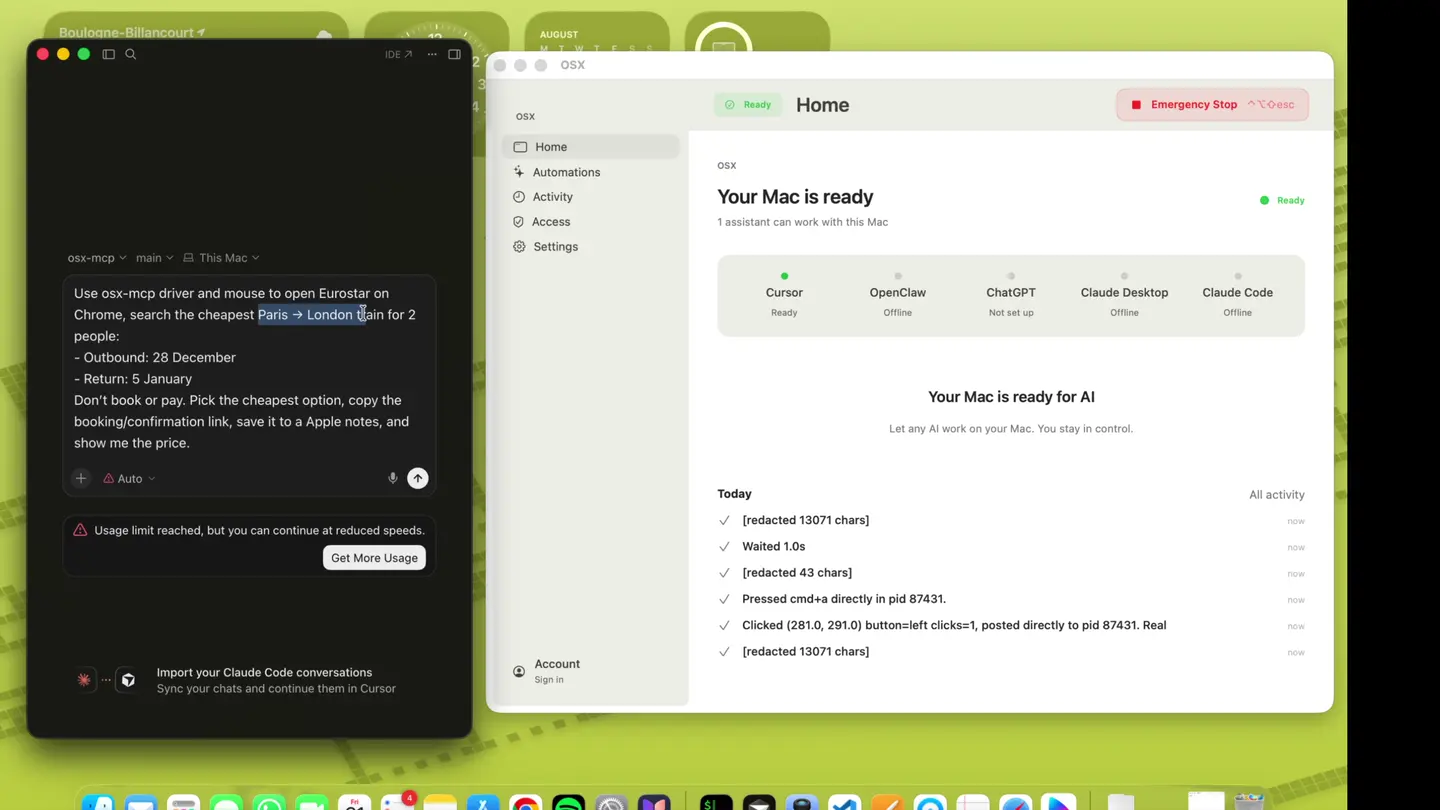
01 · Ask
Type the goal in Cursor, Claude, or ChatGPT. Moosh exposes your Mac to it as a set of tools — no new chat window to learn.
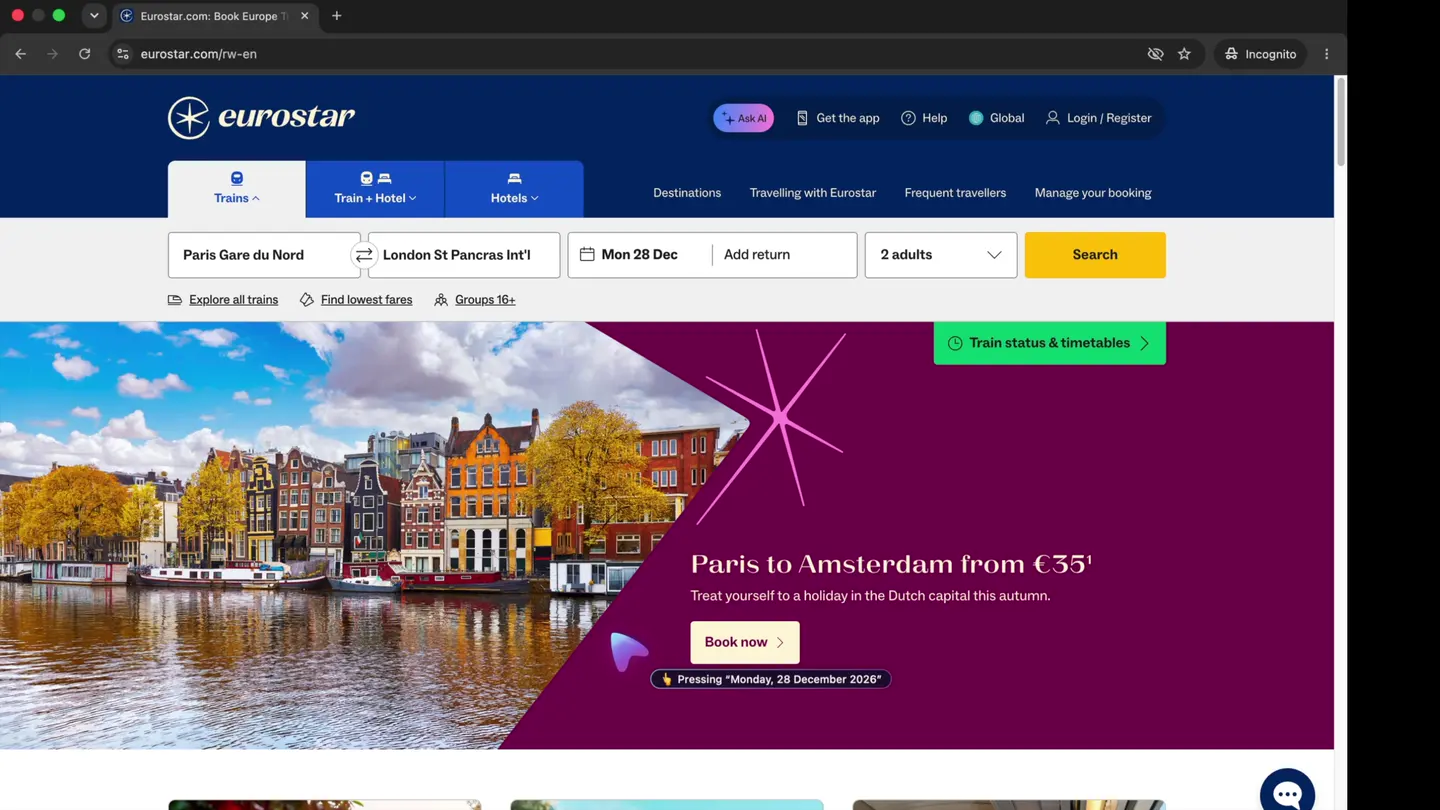
02 · Watch
The assistant drives real apps — Chrome, Notes, Finder, the shell. The cursor on screen is the one you are watching, and the activity log names each step.
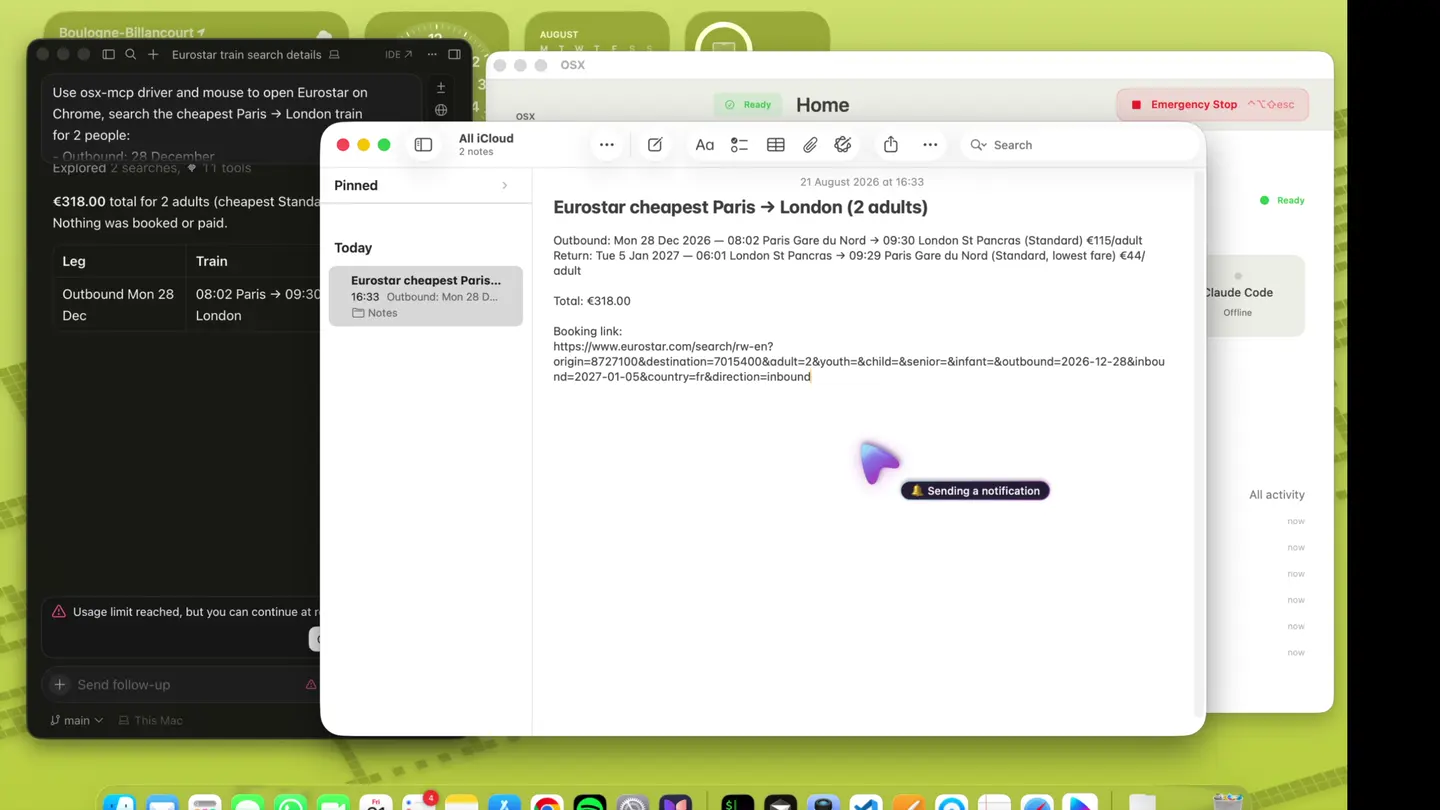
03 · Keep
A note, a file, the clipboard, a notification. The work stays on your Mac in the apps you already trust — not in someone else's export.
The whole thing
The same task in real time: open Eurostar, compare fares for two people, pick the cheapest outbound and return, copy the booking link, and save it all to Apple Notes.
Visibility
Connected assistants, last actions and pause controls live in one calm surface. No chat window required to know what is happening.
Shell, files and similar tools ask first. Automations you save stay on your Mac until you choose to share them.
Connect Cursor, Claude, ChatGPT, Codex or any MCP client. Moosh is the control layer — not another chatbot.
Accessibility and screen access are granted in System Settings. This site only stores the account you create here.
Authority
One chord stops every assistant immediately. It cannot be cleared by a tool, a remote command, or this website.
⌃⌥⇧ESC
Where it sits
Two ways of giving an AI a computer already exist. Both trade away something you probably wanted to keep.
| Capability | Moosh | Cloud agents | Your own MCP scripts |
|---|---|---|---|
| Where the work happens | On this Mac | On a stranger's virtual machine | On this Mac, once you wire it up |
| What it can reach | Any app, file or command you allow | A sandboxed browser | Whatever the script happens to expose |
| Before a risky tool runs | It asks you first | Covered by a policy page | It just runs |
| Stopping everything | One chord, always yours | Close the tab and hope | Find the process, kill it |
| Choice of AI | Any MCP client | Whichever one they sell | Any — after you build the plumbing |
| Knowing what happened | A live activity log | A chat transcript | Terminal scrollback |
Scroll the table sideways to compare →
Getting it
Seven days on the house. One payment after that, and it stays yours.
7 days
brew tap imehdihosseini/moosh
brew trust imehdihosseini/moosh
brew install moosh
$9.99 Lifetime
Questions
Install, configuration, and debugging are in the docs. Account questions go to Support.
No. The control center is a native Mac app: the assistant's tool calls are executed locally and the results go straight back to it. This website only stores the account you choose to create here — email, sign-in provider, subscription state and the activity you sync.
Anything that speaks MCP. Cursor, Claude Desktop, Claude Code, ChatGPT, Codex and OpenClaw all work, and several can be connected at once. Moosh is the control layer, not another chatbot.
Launch and focus apps, click, type, scroll, inspect windows, read text on screen, move and resize windows, read and write files you allow, run Shortcuts, and record automations you can replay later.
Press Control-Option-Shift-Escape. Every connected assistant stops immediately. The chord is handled by the app itself, so a tool call, a remote command or this website cannot disable it.
Accessibility and Screen Recording, granted by you in System Settings. macOS keeps that switch — you can revoke either one at any time and Moosh loses the matching abilities on the spot.
The Mac app runs for 7 days without an account. After that it is $9.99 once, paid in the app or on Account. Deleting the website account removes the profile, connected sign-ins, sessions and stored activity. It does not uninstall Moosh.
One control center for every assistant you trust with your desktop.